Superna v2.15: Clarity When It Counts
- Date: Aug 31, 2026
- Read time: 6 minutes

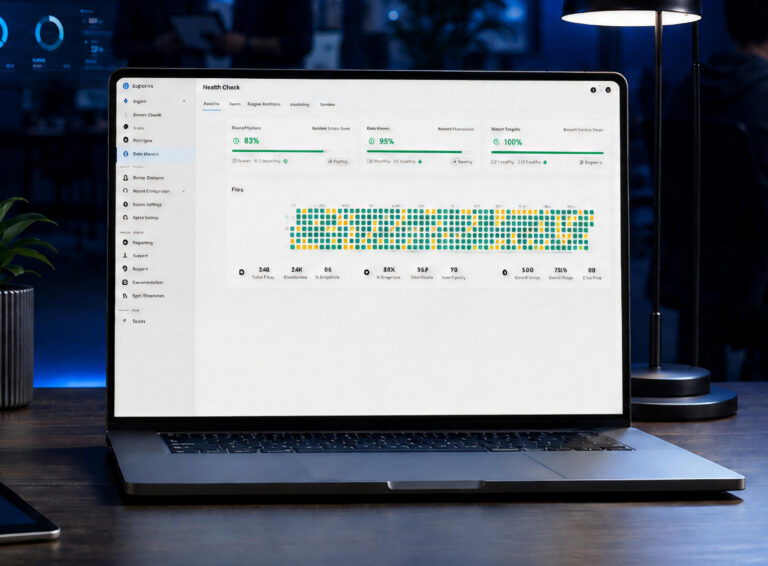
Cyber resilience gets tested in moments when there is little room for uncertainty.
An alarm fires. Suspicious activity needs investigation. A recovery workflow needs to be validated. An administrator needs to determine whether an event is a genuine threat or expected behavior. A disaster recovery process needs to work as planned. Critical data and recovery workflows need additional isolation.
In each case, having the right capabilities matters. But so does being able to understand what is happening and take the right action quickly.
That’s the focus of v2.15 of the Superna Cyberstorage Platform, available now.
v2.15 introduces a redesigned experience across the Superna Cyberstorage Platform, bringing greater clarity and more guided workflows to security, administration, Disaster Recovery, and Enterprise AirGap. It’s more than a new look. It’s about making cyberstorage security and resilience easier to operate when it counts.
See What Matters Faster
During a potential ransomware event, administrators need answers quickly.
- What happened?
- How serious is it?
- Which data and assets are involved?
- What recovery options exist?
- What actions have already been taken?
v2.15 makes that context easier to find.
A redesigned Alarms experience provides a centralized place to review active and historical alarms, filter by severity, device, product, alarm type, and date, and access detailed information about individual alarms.
Importantly, the experience doesn’t stop at telling an administrator that something happened. Remediation guidance helps make the next step clearer.
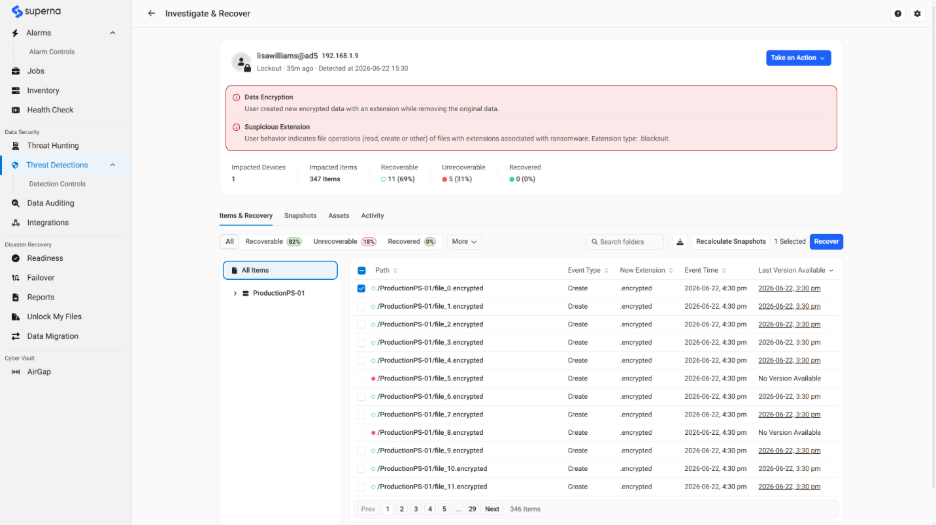
The redesigned Threat Detections experience makes active and historical events easier to prioritize, while the new Threat Investigation workflow brings affected items, recovery status, snapshots, impacted assets, and event activity together.
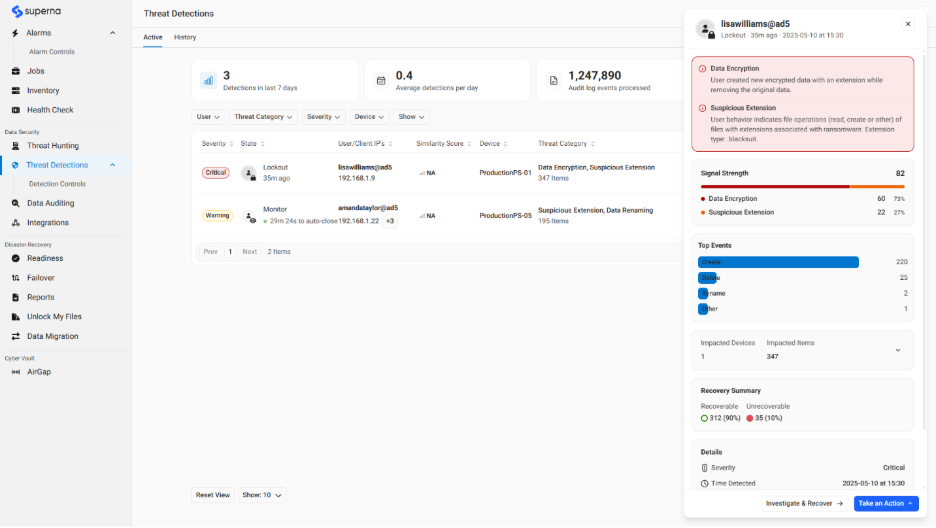
Instead of piecing together the story across multiple views, teams get more of the context they need to understand the potential impact, make an informed response decision, and know exactly how to act immediately.
Move from Investigation to Action with Confidence
Identifying suspicious activity is only the beginning. Teams still need to determine what the event means and what should happen next.
The new Event Closing workflow guides administrators through important decisions at the end of an investigation, including how an event should be classified, whether learning should be applied, whether user access should be restored, how associated snapshots should be handled, and what should be recorded before closure.
That creates a more consistent process for distinguishing confirmed threats from false positives or unusual but non-malicious activity.
v2.15 also redesigns important Threat Detection tuning controls, including Learned Thresholds, Ignore List, Monitor Only entries, and Suspicious Extensions management.
Making these controls easier to understand and operate matters because more alerts don’t automatically mean better security. Teams need to reduce expected noise while maintaining the ability to identify activity that genuinely deserves attention.
The result is a clearer feedback loop between detection, investigation, response, and tuning.
Validate Protection Before You Need It
Cyber resilience shouldn’t depend on discovering during an incident whether a control works as expected.
The redesigned Security Guard Healthcheck experience gives administrators a clearer view of ransomware-protection readiness, including recent Security Guard runs, status, thresholds, historical results, and configuration access.
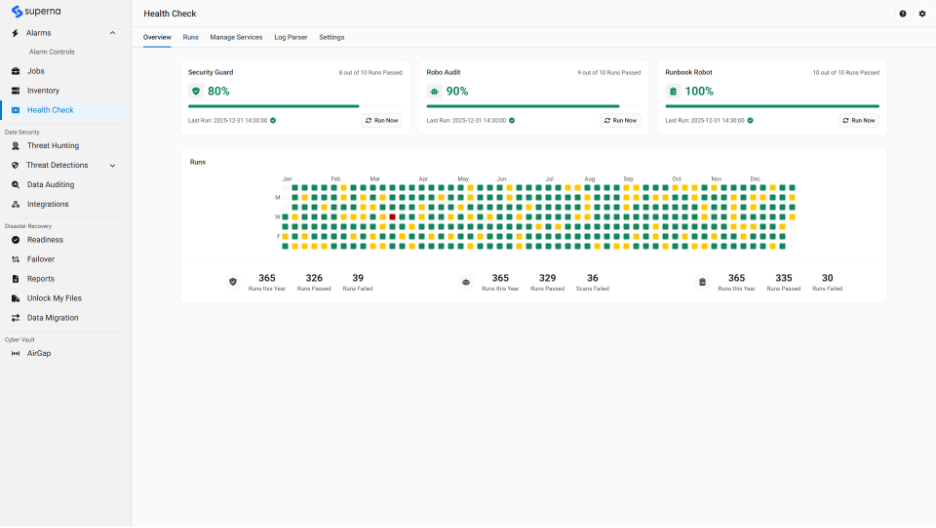
This gives teams a practical way to regularly validate that important detection and response workflows are functioning and identify configuration issues before a real event puts them to the test.
That same emphasis on operational confidence extends across v2.15.
Redesigned Inventory, Licensing, Jobs, and service-management experiences give administrators clearer visibility into managed infrastructure, license and capacity status, system operations, and background jobs.
The goal is simple: make it easier to know not only that protection has been configured, but that the systems supporting it are operating as expected.
Make Audit and Investigation Workflows Easier
Security operations don’t end when an incident is closed.
Organizations also need to investigate historical activity, answer audit requests, support compliance processes, and provide evidence of what occurred.
v2.15 brings query creation, saved queries, report history, previews, downloads, and built-in reports into a more unified Queries and Reports experience.
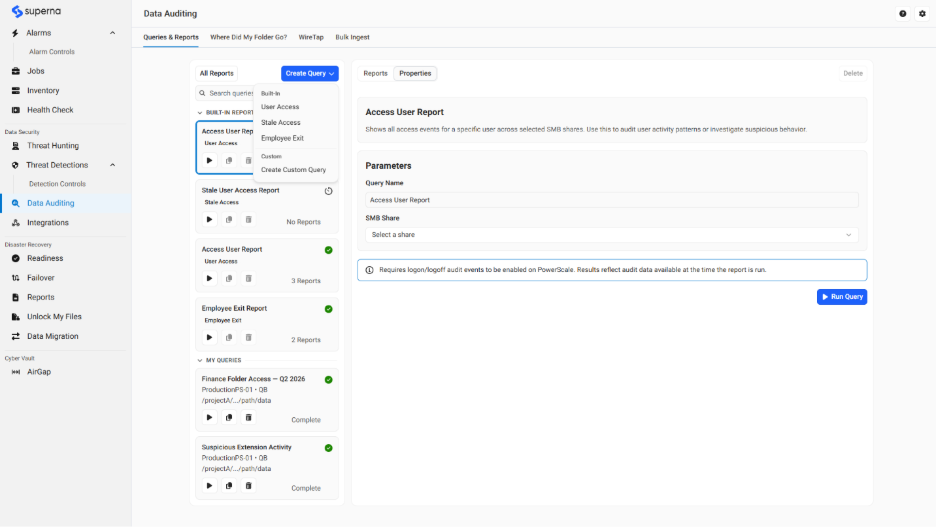
Other investigation workflows also benefit from the redesigned experience.
Wiretap provides real-time visibility into file activity when administrators need to understand what is happening right now, while Where Did My Folder Go helps teams investigate moved, renamed, or deleted data.
Together, these capabilities help reduce the operational effort required to move from a question to useful evidence.
Bring Greater Clarity to Disaster Recovery
Cyber resilience is about more than detecting threats. Organizations also need confidence that they can keep critical services available and recover when disruption occurs.
Superna Disaster Recovery Edition complements native storage replication with the automation, validation, monitoring, and orchestration needed to make disaster recovery more repeatable and easier to execute.
v2.15 brings Disaster Recovery workflows into the redesigned experience, helping infrastructure teams more clearly understand readiness, operational activity, alarms, and recovery processes.
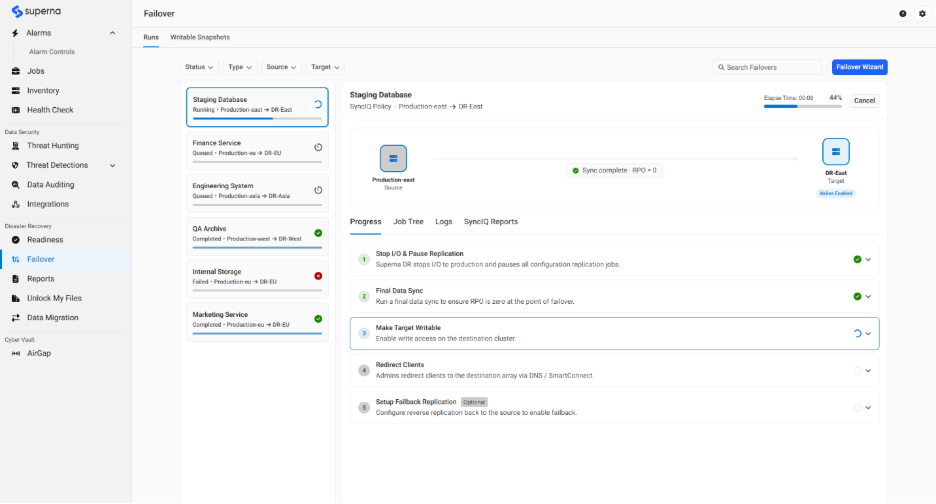
That matters before an outage as much as during one.
The objective isn’t simply to have replicated data. It’s to know the recovery process is ready and make it easier for teams to execute that process when the business depends on it.
Add a Critical Layer of Isolation with Enterprise AirGap
Resilience also requires thinking about how critical data and recovery workflows are protected from the same threats affecting the broader environment.
Enterprise AirGap is part of the v2.15 resilience experience, providing an additional isolation layer that helps organizations reduce exposure and strengthen protection alongside Data Security and Disaster Recovery.
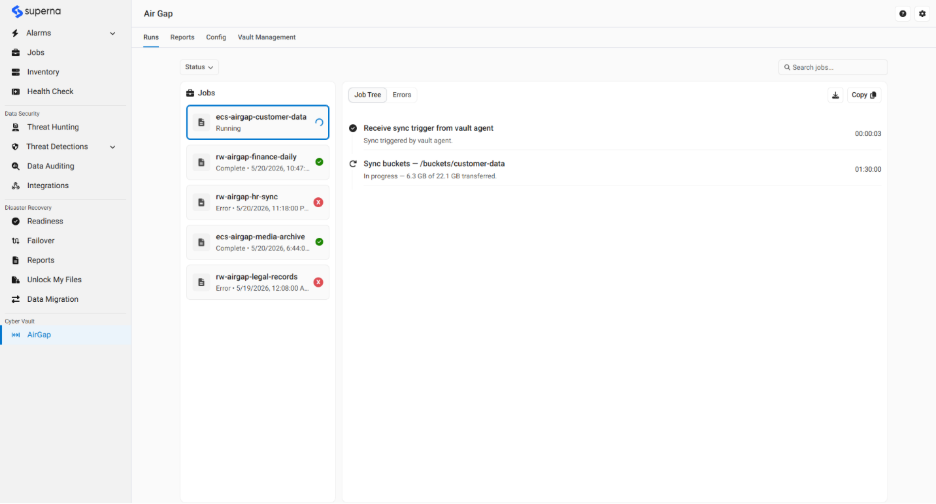
Bringing AirGap into the redesigned experience gives teams a more consistent way to operate resilience workflows across the Superna Cyberstorage Platform.
Together, these layers address different parts of the same challenge: understanding and responding to threats against active data, maintaining recovery readiness, and adding isolation where stronger protection is required.
A Clearer Way to Operate Cyber Resilience
The capabilities behind cyber resilience only create value when teams can use them effectively.
That’s why v2.15 is about more than changing how Superna looks.
It’s about making critical information easier to find. Making response decisions clearer. Making detection easier to tune. Making readiness easier to validate. And making security, Disaster Recovery, and AirGap workflows easier to operate as part of a broader resilience strategy.
Superna v2.15 is available now for existing and prospective customers.
Clarity when it counts means seeing what matters, understanding the context, and knowing what to do next.
EXISTING CUSTOMERS:
Ready to upgrade? Read the full release notes or submit a ticket with our support team to get started:
Read the Release Notes | Submit a Ticket
NEW TO SUPERNA?
Featured Resources

Mastering Cybersecurity Insurance Negotiations: A Comprehensive Guide

Navigating the Digital Menace: A Beginner’s Guide to Ransomware